123 ePub Reader for Chrome
Read, listen to and convert EPUB eBooks directly in Chrome. Single or double pages, sepia reading mode, text-to-speech, bookmarks and PDF/Word export.
For Google Chrome on Windows and Mac · Offline reading · DRM-free EPUB files

Read EPUB eBooks in Chrome — Your Book, Your Way
Looking for a convenient way to open EPUB files on a Windows PC or Mac? 123 ePub Reader for Chrome turns your browser into a comfortable eBook reader. Open local EPUB files, navigate chapters, change text size and enjoy distraction-free reading without installing a separate desktop app.
The reader supports EPUB 2 and EPUB 3 publications without DRM. Books remain in your browser's local library, so you can return to your latest reading position. Standard book reading works offline and does not require an account.
📖 Flexible Layouts
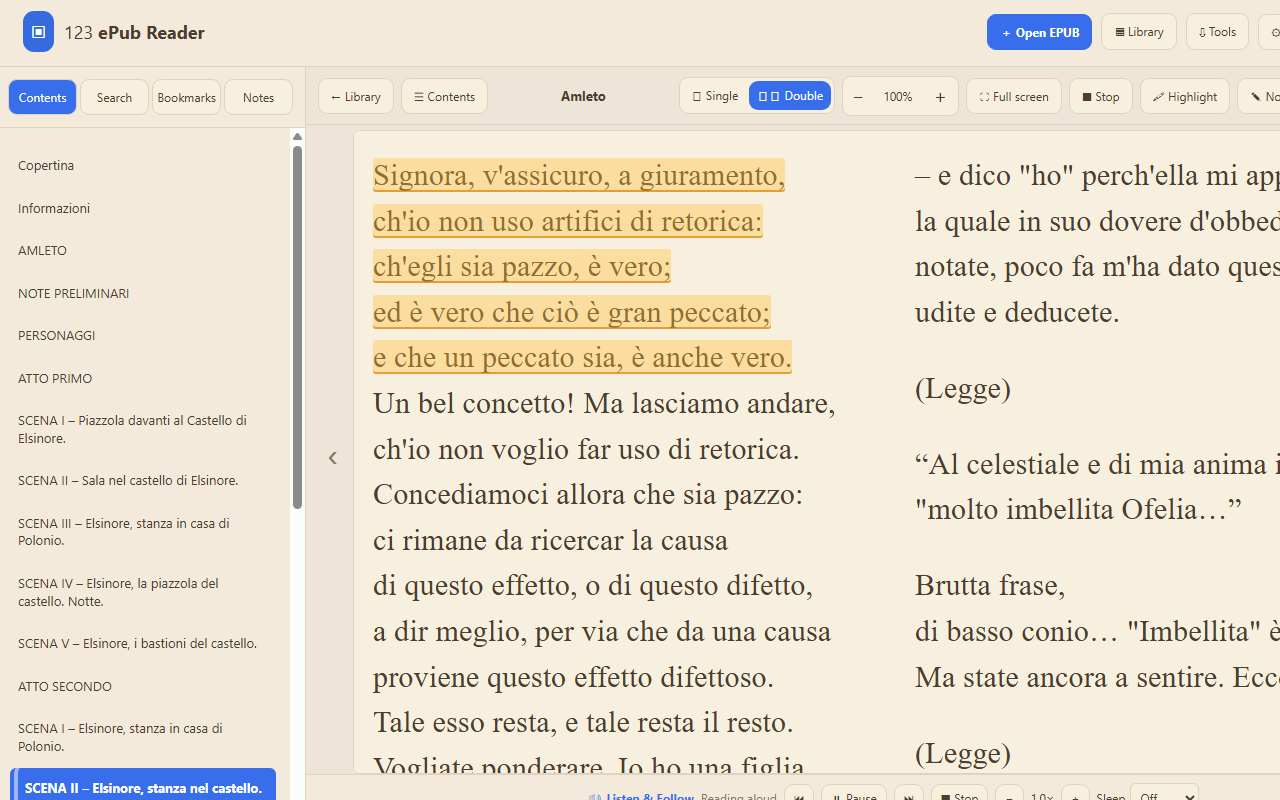
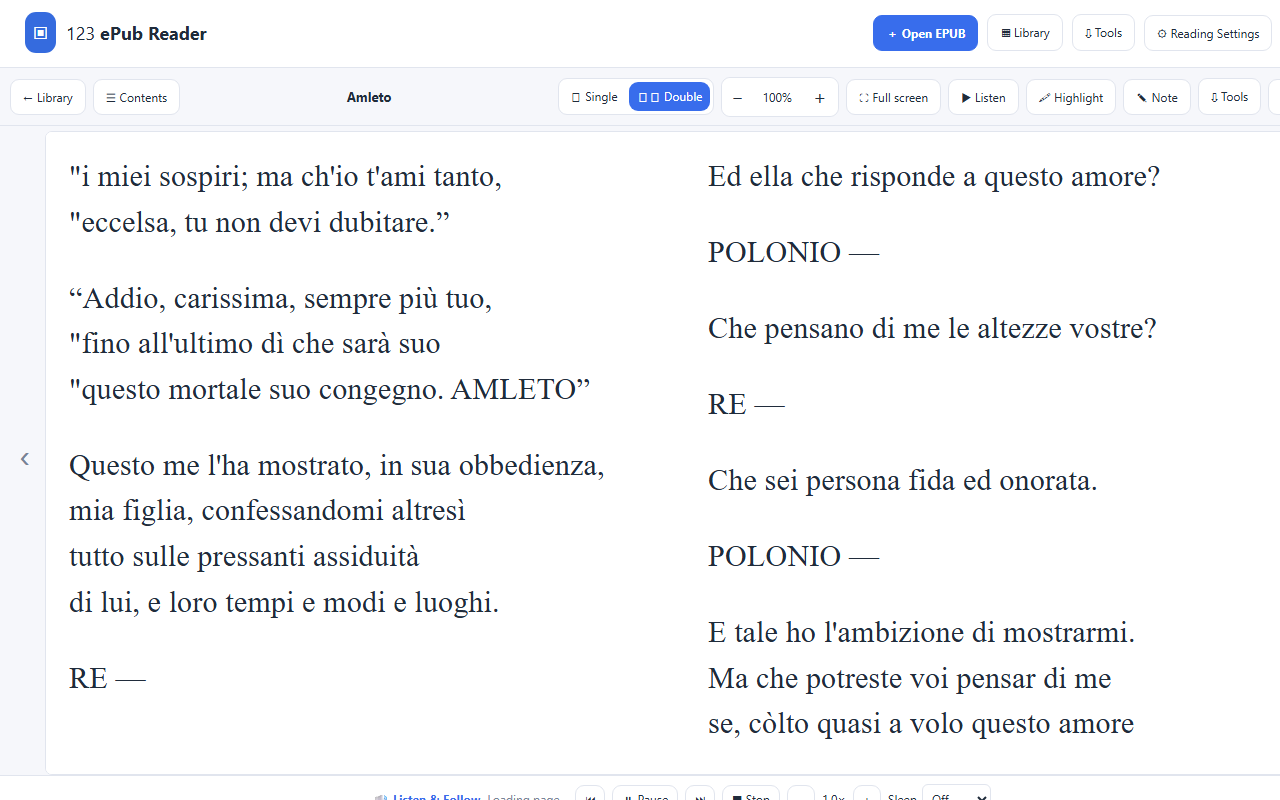
Single page, double page and scrolling modes, with full-screen reading and a closable chapter sidebar.
🔊 Listen & Follow
Read aloud with language and voice controls, text highlighting, mini player and sleep timer.
📄 Export eBooks
Convert EPUB to DOCX and TXT, or save a PDF with a watermark in the free edition.
🎨 Reading Themes
Choose Light, Sepia, Dark or OLED Black. Adjust font size, spacing and zoom.
🔖 Chapters & Bookmarks
Jump through the table of contents and keep track of your place in the book.
🌍 7 Languages
English, Italian, French, German, Spanish, Portuguese and Japanese interfaces.
📷 Screenshots — Click to Enlarge
🚀 How to Open an EPUB File in Chrome
- Click Install Free from Chrome Web Store, then confirm Add to Chrome.
- Open the extension using the Chrome toolbar and select Open Reader.
- Choose an EPUB file from your computer or drag and drop the book into the reader.
- Select a comfortable theme such as Sepia and adjust the font or zoom.
- Use the table of contents to jump to a chapter, or switch between Single and Double pages.
- Use Listen to hear the current book page aloud, or open Tools to export the book.
💡 Reading Tip
Hide the contents sidebar to gain more space, then choose the full-screen mode for a cleaner experience. Your last reading position is remembered automatically.
🔊 Listen to Books with Text-to-Speech
Use the built-in Listen feature to turn EPUB text into spoken audio. The reader looks at the book's declared language, and you can choose another language or an available system voice manually. Adjust speed and pitch, or set a sleep timer. Listen & Follow can highlight the current text as it is spoken and advance through the book.
Voice quality depends on the speech voices installed on your computer. The free edition includes up to 5 pages of Listen per book; PRO removes that limit.
📄 Export EPUB to PDF, Word or TXT
Need a more widely supported document format? Use the export tools to create DOCX and TXT files free of charge, or print/save the book to PDF. Free PDF output contains a watermark; upgrading to PRO removes it. Basic headings and paragraphs are supported, while complex layouts and advanced EPUB styling may not be reproduced exactly.
⚖️ Compare Free and PRO
| Feature | FREE | PRO |
|---|---|---|
| Read EPUB books | Unlimited pages | Unlimited pages |
| Saved books in library | Up to 5 | Unlimited |
| Text-to-speech Listen | 5 pages per book | Unlimited |
| Export TXT / DOCX | Included | Included |
| Export PDF | With watermark | No watermark |
| Advanced highlights and notes | Locked | Included |
| Export notes & backup library | Locked | Included |
| Reading upgrade reminders | Occasional | None |
Free reading remains available beyond upgrade reminders. The optional PRO license is a one-time purchase, with no monthly subscription.
🔓 Unlock 123 ePub Reader PRO
Unlimited books and listening, watermark-free PDF exports, advanced notes and a distraction-free experience.
Buy PRO Unlock Code🛡️ Privacy, Offline Reading and Compatibility
Your imported EPUB books are processed and stored locally in the browser. You don't have to create an account or upload your eBooks to a third-party reading service. You can read existing books offline. This extension is intended for DRM-free EPUB files; purchased books with DRM may require the original bookstore or library reader.
❓ Frequently Asked Questions
Can Chrome open EPUB files directly?
Chrome needs a compatible reader extension for a full EPUB reading interface. Install 123 ePub Reader to open local EPUB books in a browser tab.
Does it work on Windows and Mac?
Yes. The extension works in compatible versions of Google Chrome on Windows and macOS.
Can I read complete books for free?
Yes. Normal visual reading does not have a page limit. The free edition can save up to five books and may display occasional PRO upgrade reminders.
Can I convert an EPUB to PDF?
Yes. PDF exporting is available with a watermark in FREE. PRO removes the watermark. TXT and DOCX exporting are available in both editions.
Can I listen to an EPUB in Italian or English?
Yes, provided your operating system/browser has an appropriate speech voice. The reader can use the language declared in the EPUB, and you can change the voice manually.
Does it support DRM-protected eBooks?
No. Use the official publisher, bookstore or library application for protected titles.
Start Reading EPUB Books Today
Open, read, listen to and convert EPUB eBooks directly in your browser.