A YouTube allowlist reverses the usual blocking model. Instead of blocking unwanted videos one by one, you approve the channels or specific videos that may play, and everything else is blocked.
1. What an allowlist is
2. Allow channels
3. Allow specific videos
4. Shorts and embeds
5. Difference from No Auto Translation
6. FAQ
What is a YouTube allowlist?
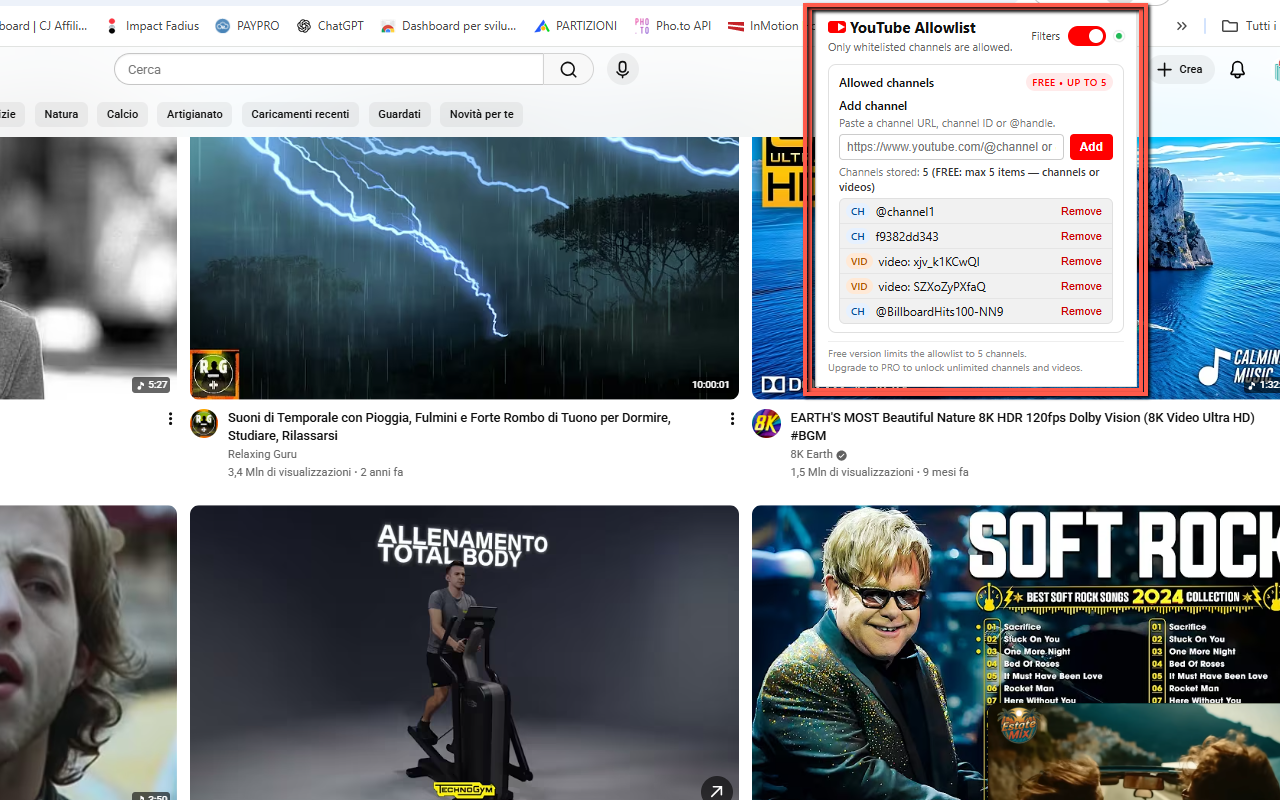
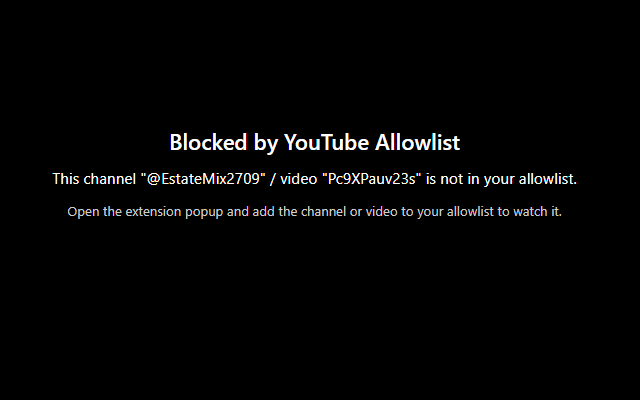
An allowlist contains content you explicitly trust. With the OnlineGratis extension, approved channels and video URLs are allowed to play; non-approved content is blocked.
Allow an entire YouTube channel
The product accepts channel URLs, @handles and channel IDs beginning with UC.
Allow only specific videos
You can add an individual video URL without approving the whole channel. The product supports standard watch URLs, youtu.be links and Shorts URLs.
What happens to Shorts and embedded players?
The product page states that non-approved normal videos, Shorts and embedded players are blocked.
YouTube Allowlist is not YouTube No Auto Translation
YouTube Allowlist controls what can play. It does not disable translated titles or dubbed audio. That is handled by the separate YouTube No Auto Translation extension.
Frequently asked questions
Can I allow a whole channel?
Yes.
Can I allow just one video?
Yes.
Does this disable YouTube auto translation?
No. That is a separate tool.
Want a dedicated Chrome tool?
OnlineGratis also develops YouTube Allowlist for this task.
View YouTube Allowlist