🔧 Chrome Extension
Bulk Outlook Email to PDF Exporter
Select emails with checkboxes, click Export as PDF — the extension opens each one, auto-scrolls, stitches long threads, and saves a clean A4 PDF with the subject as header. Bulk export, hands-free.
✓ Scroll & stitch for long threads ✓ Smart cropping — email content only ✓ Auto filename from subject line ✓ Works on outlook.live.com & office.com
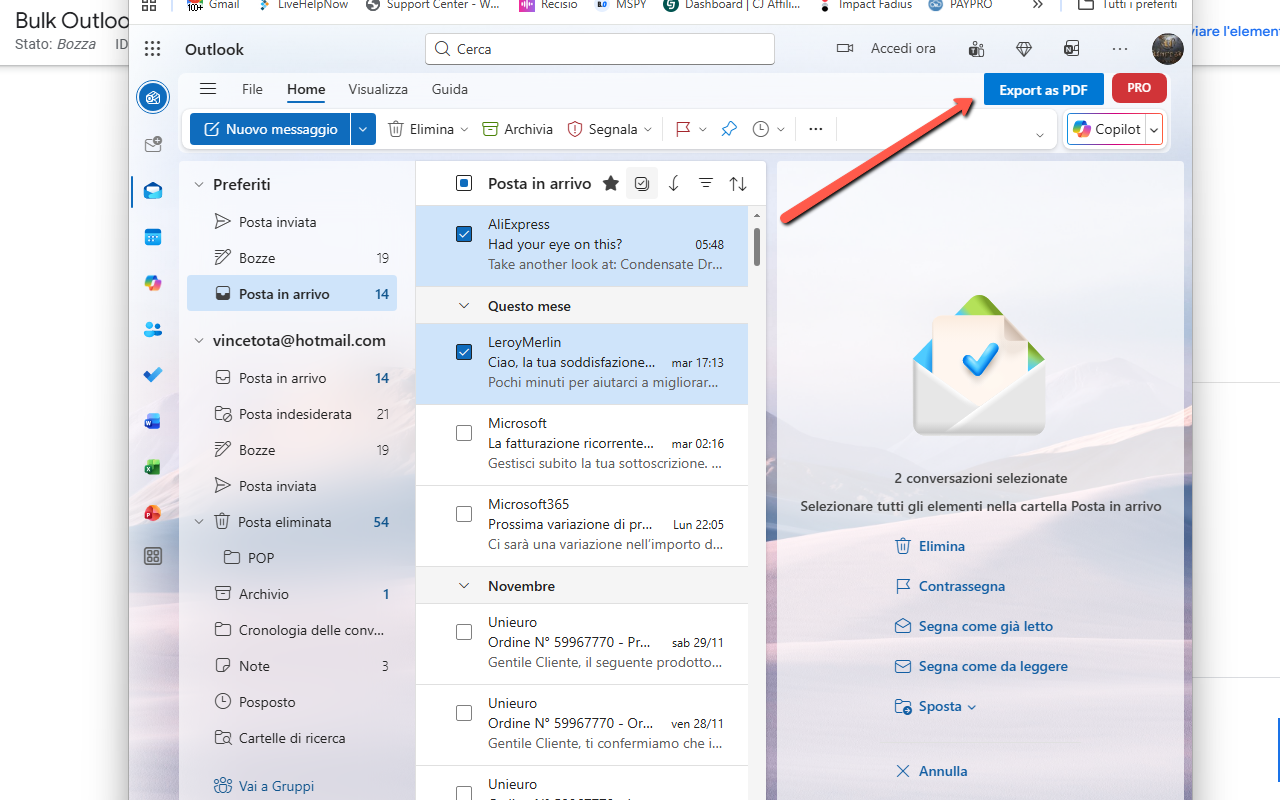
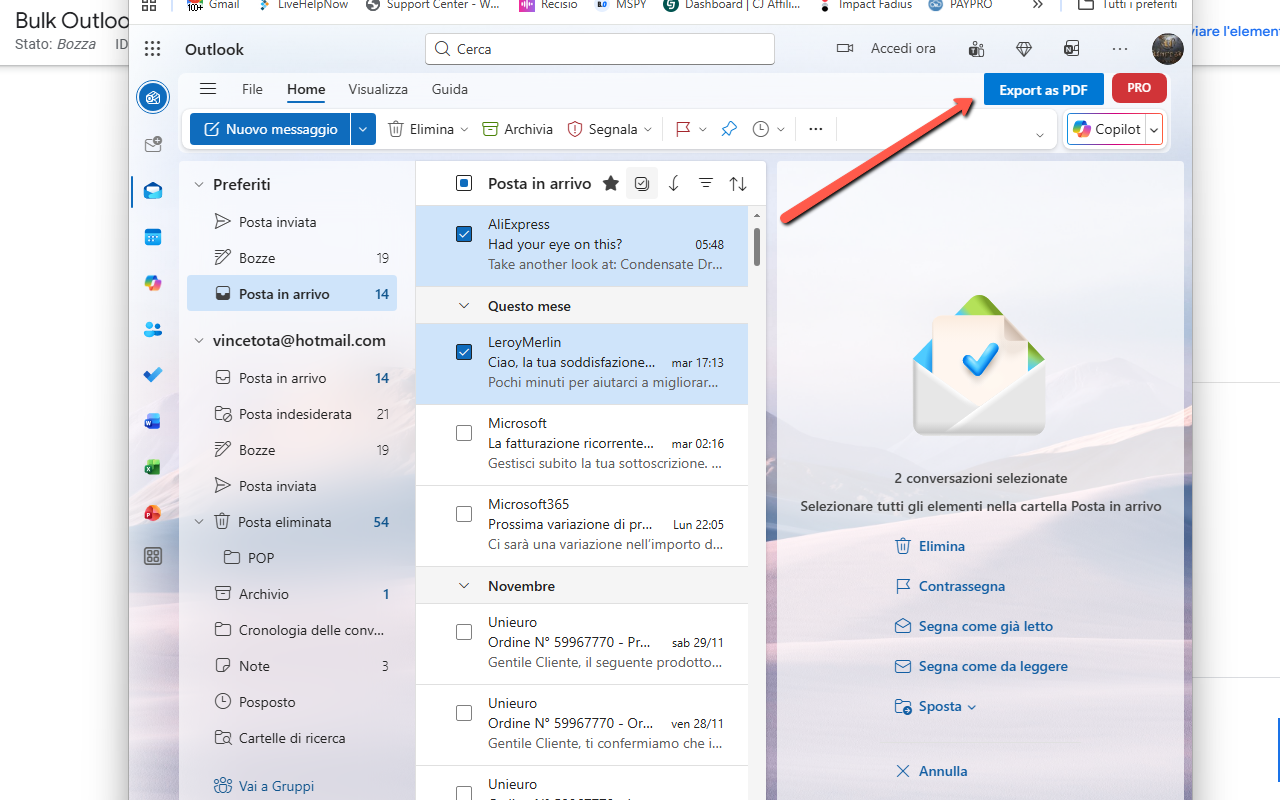
Export as PDF button appears automatically in Outlook's toolbar
About
Export Outlook Emails to Professional PDFs in One Click
Imagine archiving hundreds of Outlook emails as professional PDF documents with just a few clicks 📧. With Bulk Outlook Email to PDF Exporter, that power is at your fingertips. This intelligent Chrome extension automates the tedious task of converting your Outlook.com emails into high-quality, searchable PDF files. Whether you're archiving important correspondence, creating legal records, backing up business communications, or organizing personal emails, this extension transforms hours of manual work into minutes of automated efficiency.
No more printing to PDF one email at a time or losing formatting in the process. The extension allows you to select multiple emails from your inbox, and it automatically opens each one, captures the complete content including images and formatting, and generates a professional multi-page PDF document. With intelligent screenshot stitching technology, even long email threads are captured perfectly across multiple pages. Everything happens through a sleek interface integrated directly into Outlook's toolbar, with real-time progress tracking.
One of the standout features is the intelligent content capture 📊. The extension uses advanced screenshot technology combined with smart cropping to capture only the email content — no sidebars, no menus, just the pure email conversation. Each PDF includes the email subject as a header on the first page, making your archives instantly searchable and organized. Long email threads are automatically scrolled and stitched together seamlessly, ensuring nothing is missed.
Managing bulk exports is effortless. Select as many emails as you want from your inbox using checkboxes, click the 'Export as PDF' button, and let the extension do the work. It opens each email sequentially, captures the content with intelligent scroll detection, generates a multi-page A4 PDF, and saves it with a filename based on the email subject. The extension respects Chrome's screenshot rate limits by automatically pacing the captures, ensuring reliable exports even for hundreds of emails.