TikTok Remover
Chrome Extension · Bulk Remove Reposts · Favorites · Liked Videos · TikTok Cleaner
Remove all your TikTok reposts, saved favorites and liked videos in bulk — directly from your browser. 🗑️✨ TikTok Remover automates the tedious process of un-reposting, un-favoriting and un-liking videos one by one, letting you clean up your profile in minutes.
Whether you have hundreds or thousands of videos to clear, the extension handles the entire flow automatically: navigates to your profile, opens each video, removes the repost/favorite/like, and moves to the next — all without any manual input from you.
✅ What It Does
- 🔁 Remove all reposts in bulk — automatically un-repost every video you shared to your followers with one click
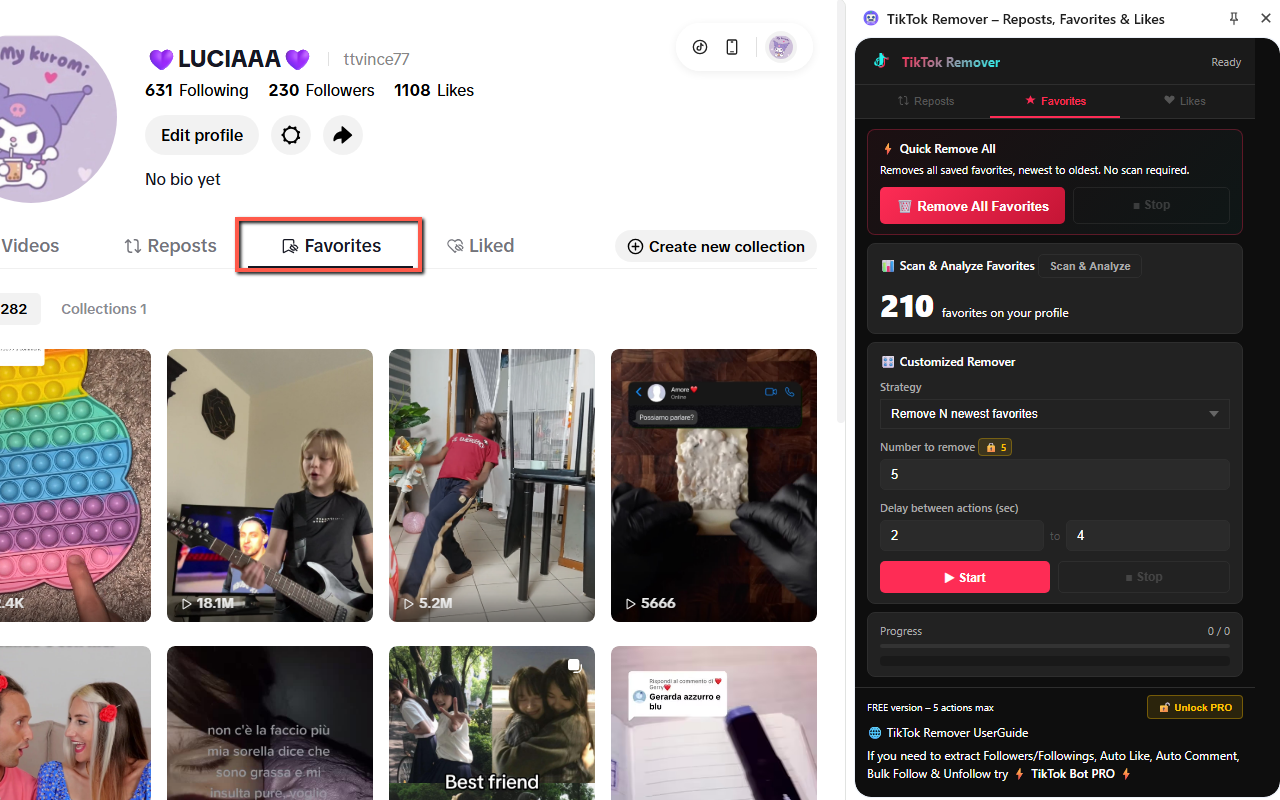
- 🔖 Remove all favorites in bulk — clear your saved/bookmarked videos collection without opening each one manually
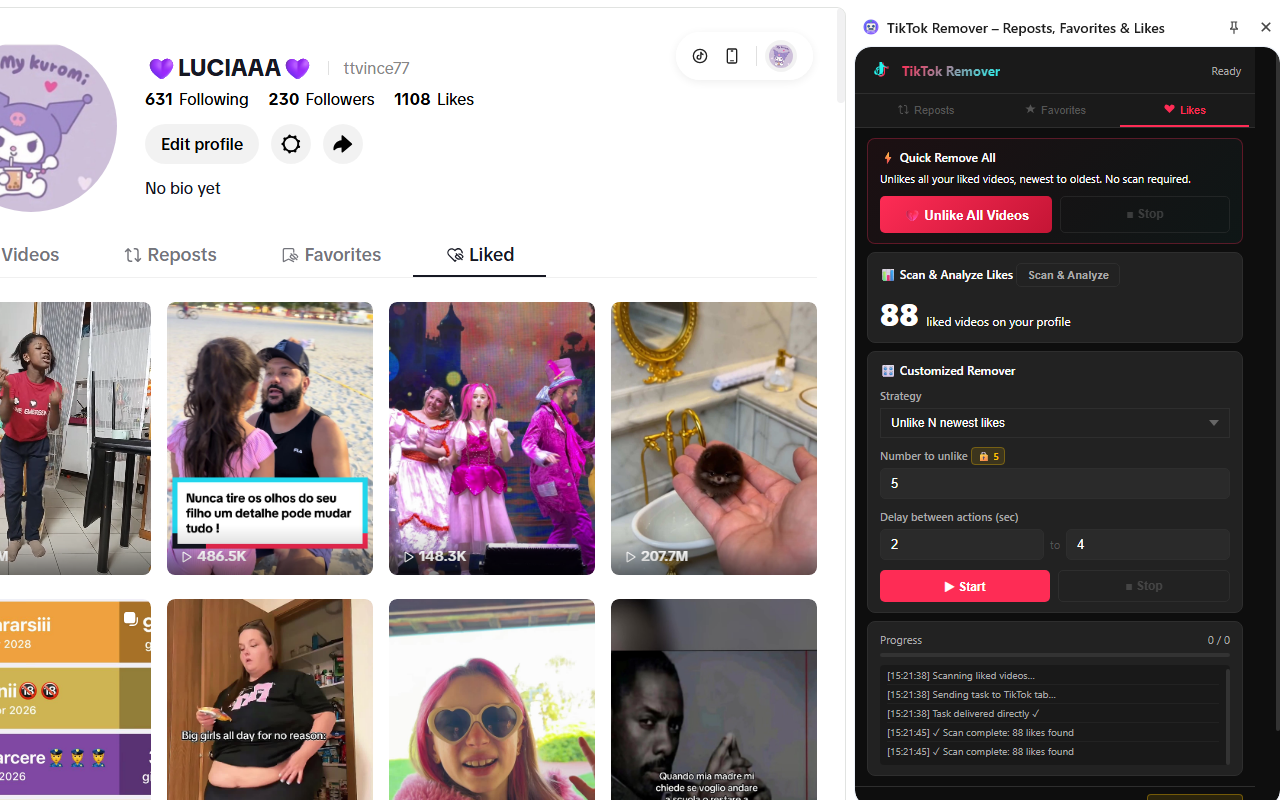
- ❤️ Unlike all liked videos in bulk — remove your likes from hundreds or thousands of TikTok videos automatically
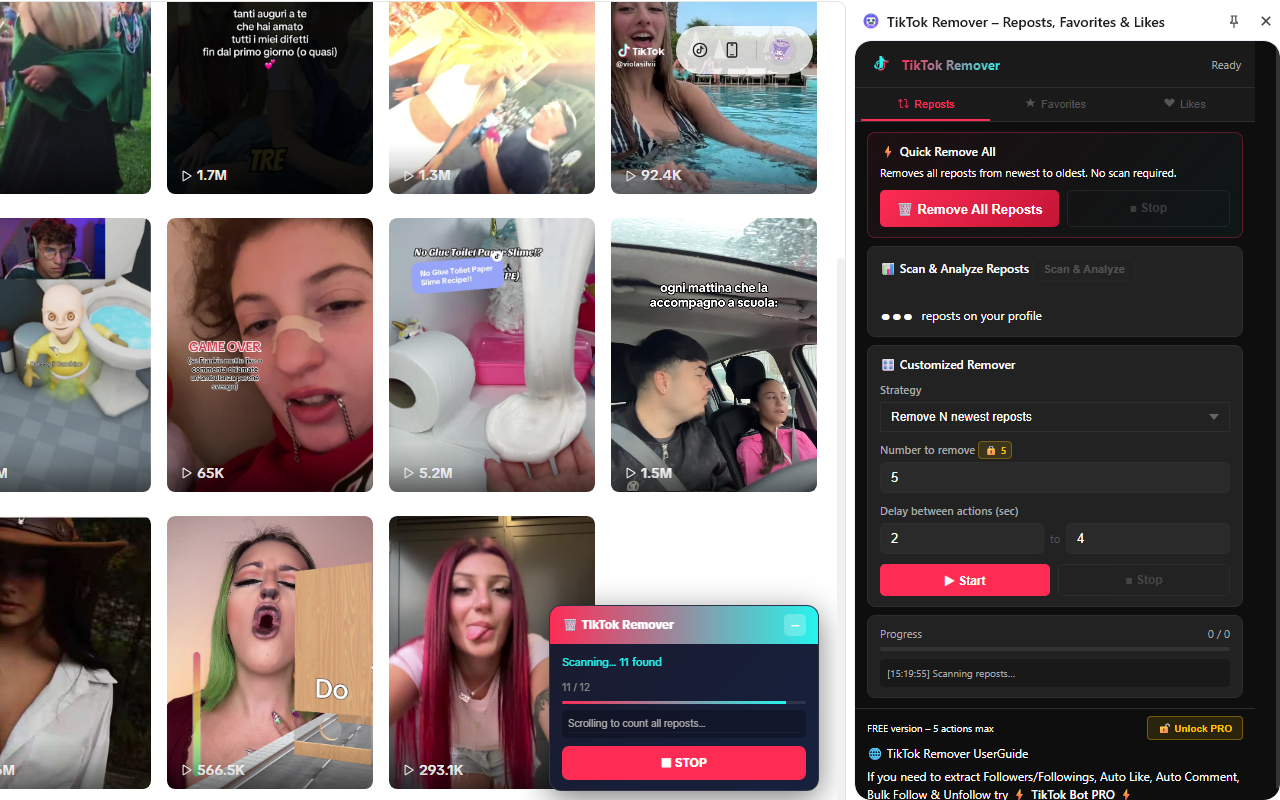
- 📊 Scan & Analyze — count exactly how many reposts, favorites or likes are on your profile before starting
- 🎛️ Customized Remover — choose to remove the newest N items, the oldest N items, or the oldest X% of your collection
- ⏱️ Adjustable speed — set a custom delay between actions to simulate natural browsing behavior
- 🔓 FREE & PRO versions — free version removes up to 5 items per session; unlock PRO with a one-time code for unlimited removal
📺 Video Tutorial
📖 How to Use
Install the Extension
Install TikTok Remover from the Chrome Web Store. Once installed, the extension icon will appear in your Chrome toolbar. Click it to open the sidebar panel — the extension will automatically open TikTok if it's not already in your browser.
Choose a Tab: Reposts, Favorites or Likes
Select the content type you want to remove from the three tabs in the sidebar. You can optionally run Scan & Analyze first to see exactly how many items are on your profile, then use the Customized Remover to target specific portions of your history.
Click Remove All and Let It Run
Click Remove All (or Start for the customized strategy) and let the extension work. It will navigate to your TikTok profile, open each video, remove the repost / favorite / like, and move on automatically. A real-time progress log shows every action taken. You can stop the process at any time with the Stop button.
Unlock PRO for Unlimited Removal
The free version removes up to 5 items per session. To remove unlimited reposts, favorites and likes, click Unlock PRO in the sidebar footer and enter your PRO code. Once unlocked, all limits are removed permanently and the extension works on all three tabs without restrictions.
👥 Perfect For
- ▸ TikTok creators — clean up old reposts that no longer reflect your content direction or brand
- ▸ Privacy-conscious users — remove all public likes or saved videos from your profile history at once
- ▸ Account resets — start fresh by clearing all past engagement history without deleting your account
- ▸ Users with thousands of likes — unlike years of liked videos in one automated session instead of removing them one by one
- ▸ Anyone who has reposted too much — quickly un-repost all videos you shared to your followers feed in bulk
Need More TikTok Automation?
Check out TikTok Bot PRO — a full automation suite for TikTok with more advanced features:
- ▸ Extract Followers & Following lists
- ▸ Auto Like videos automatically
- ▸ Auto Comment on videos
- ▸ Bulk Follow & Bulk Unfollow
Stop removing TikTok reposts, favorites and likes one by one. TikTok Remover automates the entire cleanup process — open the sidebar, choose your strategy, and let it run. Supports bulk removal of reposts, saved videos and likes with customizable options and a real-time log. 🚀
⬇️ Install Free from Chrome Web Store | PURCHASE UNLOCK CODE⚠️ Note: This extension automates interactions on TikTok.com using your existing logged-in session to remove content that you have personally reposted, saved or liked. TikTok Remover is an independent tool and is not affiliated with, endorsed by, or associated with TikTok, ByteDance Ltd. or any of their subsidiaries. TikTok® is a registered trademark of ByteDance Ltd.