๐Ÿ”ง Chrome Extension

WA Media Downloader

Automatically detect and download all photos, videos, voice notes and documents from any WhatsApp Web chat or group โ€” in a single click, with media type filters.

โœ“ No extra login required โœ“ Works on any chat or group โœ“ Images, videos, docs & voice notes โœ“ Lightweight UI
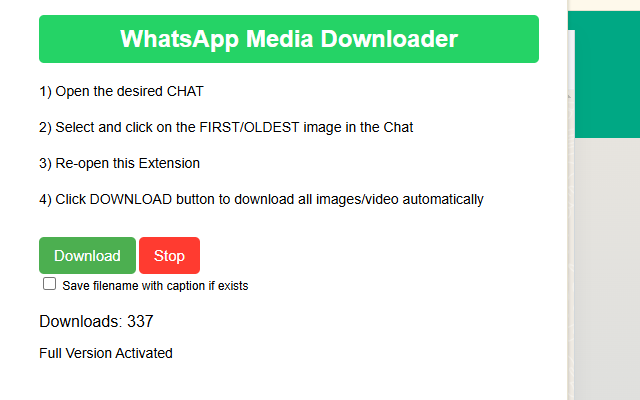
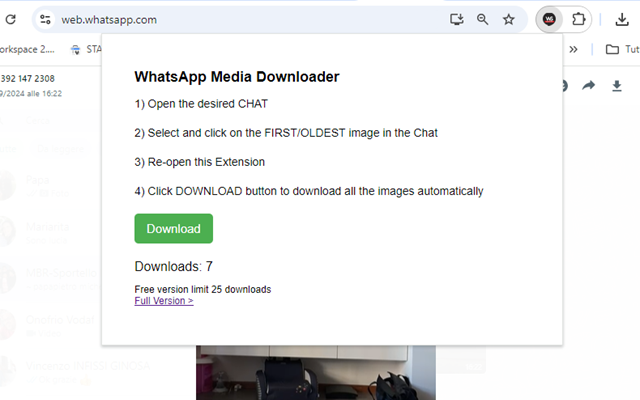
WA Media Downloader interface
Select media type and click download โ€” all files saved automatically

About

Bulk Download WhatsApp Media in One Click

Ever tried saving dozens of WhatsApp images or videos from a group chat manually? Not fun. WA Media Downloader is a Chrome extension that automatically detects and lets you download all media files from open WhatsApp Web chats in one go.

Whether it's for archiving memories, saving funny clips, or backing up work-related media, this extension saves you from repetitive clicks. It grabs every photo, video, or document visible in the current conversation and even lets you choose what type to fetch.

The interface is clean and minimal โ€” you select media types and hit download. Done. No technical setup, and no account required. Save your favorite media from WhatsApp before it disappears, with zero hassle.


Features

Everything You Need

Designed to save you time โ€” powerful features, simple interface.

๐Ÿ“ท

All Media in One Click

Download every photo, video, voice note and PDF from the current chat in a single operation.

๐ŸŽ›๏ธ

Media Type Filter

Choose to download only images, only videos, documents, audio, or all media at once.

โšก

Auto-Detection

The extension automatically detects all media in the currently open WhatsApp Web conversation.

๐Ÿ’ฌ

Chats & Groups

Works equally well on personal chats, group chats and any media-heavy WhatsApp conversation.

๐Ÿ”’

No Login Required

Works with your existing WhatsApp Web session โ€” no third-party accounts or credentials needed.

๐Ÿงน

Lightweight & Fast

Minimal interface, zero technical setup, and no background processes to slow your browser.


Tutorial

๐Ÿ“บ See It in Action

Watch the full walkthrough to get started in minutes.

๐ŸŽฌ Open this tutorial on its own page โ†’


How to Use

Get Started in Minutes

No technical skills required โ€” just install and go.

  1. Open WhatsApp Web and log in to your account.
  2. Navigate to any chat or group that contains the media you want to save.
  3. Click the WA Media Downloader extension icon in the Chrome toolbar.
  4. Select the media types you want to download: images, videos, documents, audio, or all.
  5. Click Start Download โ€” all files will be saved automatically to your Downloads folder.

Screenshots

๐Ÿ“ท Extension in Action

Clean, intuitive interface that works right inside your browser.

WA Media Downloader โ€” Extension popup with media type filters WA Media Downloader โ€” Download progress and file list

Stop Saving WhatsApp Media One File at a Time

Install WA Media Downloader free and bulk-save all photos, videos and docs from any chat in seconds.