
WhatSender Pro
WhatSender Pro is a powerful Chrome extension for sending bulk WhatsApp messages on any computer — Windows, macOS, and Linux. No software to install: connect your WhatsApp Web account, import...
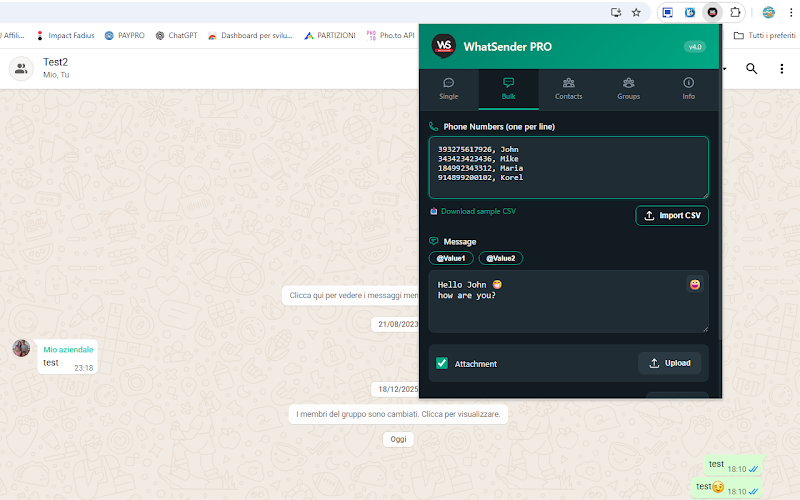
WhatSender Pro 4.0 is a professional Chrome extension that works on any computer — Windows, macOS, and Linux — without downloading any additional software. Just install it in Google Chrome, scan the WhatsApp Web QR code once, and you're ready to send bulk messages, manage contacts, and automate your WhatsApp workflow entirely from the browser.
Unlike the desktop WSTool software, the Chrome extension version requires no installation beyond the extension itself, making it ideal for Mac and Linux users. It comes with 5 dedicated tabs for single messaging, bulk messaging, contacts management, group messaging, and settings.
📱 5 Powerful Tabs
- Single Message — send individual messages to any number, even unsaved contacts, with optional image or PDF attachment.
- Bulk Message — send the same (or personalised) message to a long list of numbers, imported via CSV or copied from your contacts.
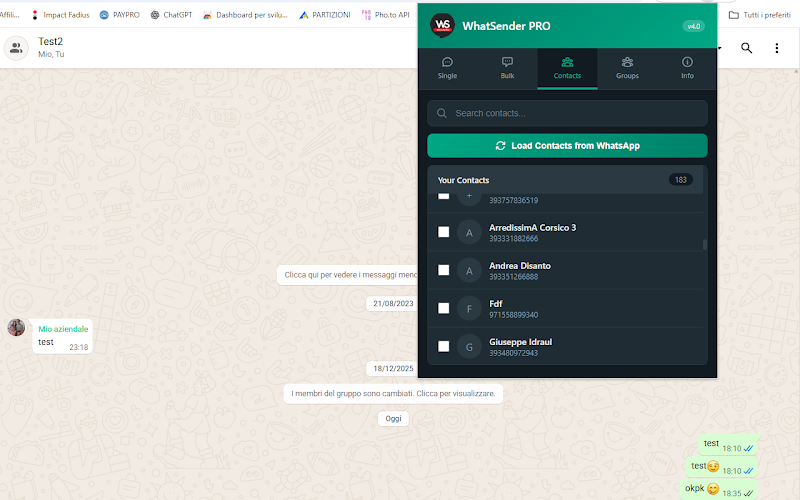
- Contacts Manager — auto-load your WhatsApp contacts, search, filter, select multiple, and export to CSV.
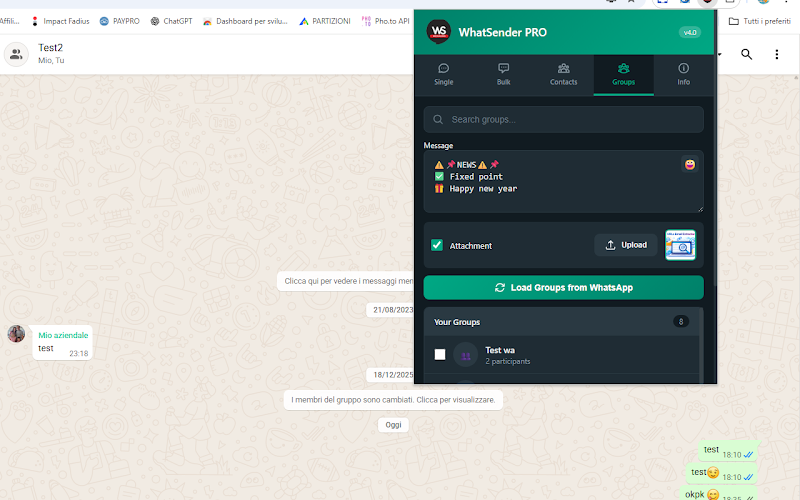
- Groups Manager — send messages to multiple WhatsApp groups at once; shows group name, avatar and member count.
- Settings & License — toggle dark/light theme, view statistics, and activate your PRO license.
📋 How to Install & Get Started
- Install WhatSender Pro from the Chrome Web Store — click "Add to Chrome".
- After installation, WhatsApp Web opens automatically. Scan the QR code to connect your WhatsApp account:
- Android: WhatsApp → Menu (⋮) → Linked Devices → Link a Device
- iPhone: WhatsApp → Settings → Linked Devices → Link a Device
- Click the WhatSender Pro icon in your Chrome toolbar to open the main panel.
- Choose your tab (Single Message, Bulk Message, Contacts, Groups) and start messaging.
📨 Bulk Messaging & Personalisation
Enter one phone number per line (with international country code), or upload a CSV file with numbers and up to 2 custom variables. Use @valueOne and @valueTwo in your message to personalise each one automatically. Set the delay between messages (default 4 seconds, recommended 4–8 seconds) and optionally attach a JPG, PNG, or PDF file.
📷 Screenshots
🆓 Free vs PRO
The free version allows up to 5 bulk message campaigns and access to all tabs and features for evaluation. The PRO version (one-time purchase, 1-year license) unlocks:
- Unlimited bulk message campaigns
- Send to unlimited contacts and groups
- All advanced features enabled
- Priority support + free updates for 1 year
After purchase you receive the activation code by email within minutes. Enter it in the Settings tab → License Activation → Activate License.
✅ Key Features
- Works on Windows, macOS and Linux — no software download required
- Send to unsaved contacts (no need to add to your address book)
- CSV import for bulk recipient lists
- Message personalisation with @valueOne and @valueTwo variables
- Attach images (JPG, PNG) or PDF files to any message
- Adjustable delay between messages to reduce ban risk
- Auto-load and export WhatsApp contacts to CSV
- Group messaging with member count display
- Real-time progress bar for bulk campaigns
- Light/Dark theme toggle
- Statistics dashboard
- Auto-save — messages and settings preserved between sessions
🛡️ Tips to Reduce Ban Risk
- Send only to contacts who expect your messages (customers, students, team members)
- Keep batches small — 20–50 messages at a time, max 500 per day
- Use a delay of at least 4–6 seconds between messages
- Personalise each message with variables instead of sending identical text
- Use a WhatsApp Business number rather than a personal account for bulk sending
🔒 Disclaimer
This extension is not endorsed or certified by WhatsApp Inc. It is an unofficial enhancement for WhatsApp Web, designed for legitimate business communication with people who expect to receive your messages. We are not responsible for any account restrictions resulting from misuse. Always follow WhatsApp's Terms of Service.
→ Install WhatSender Pro from the Chrome Web Store | 🔓 Purchase PRO License