YouTube can automatically translate titles and descriptions and may select a dubbed audio track. Some viewers prefer to see and hear the creator's original content by default.
1. What gets auto-translated
2. Keep original titles and descriptions
3. Keep original audio
4. Subtitles
5. Difference from YouTube Allowlist
6. FAQ
What can YouTube translate automatically?
Depending on the video and settings, YouTube may display translated titles or descriptions and may choose a dubbed audio track.
Keep original titles and descriptions
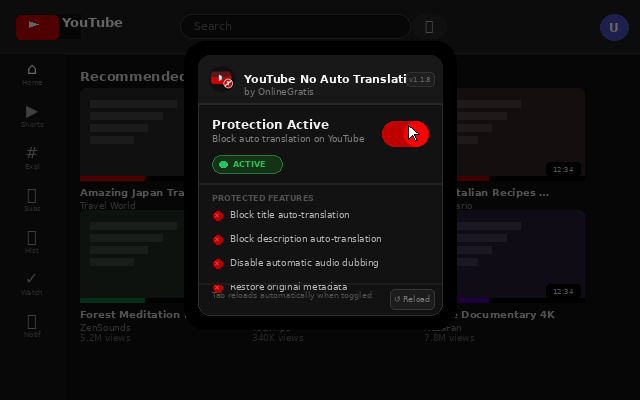
YouTube No Auto Translation is designed to restore original titles and descriptions across watch pages, search results, home, suggestions, channels, playlists and Shorts.

Keep the original audio track
The product also aims to prevent automatic dubbing and keep the original audio track by default.
Does it disable subtitles?
No. The product page says manually selected subtitles remain available.
YouTube No Auto Translation vs YouTube Allowlist
| No Auto Translation | YouTube Allowlist |
|---|---|
| Restores original titles, descriptions and audio. | Controls which channels/videos may play. |
| Does not decide which videos are allowed. | Does not control translation/dubbing. |
Frequently asked questions
Can I stop YouTube from automatically translating titles?
The extension is designed to restore original titles and descriptions.
Can it keep original audio instead of a dubbed track?
Yes, according to the product page.
Does it block manually selected subtitles?
No.
Want a dedicated Chrome tool?
OnlineGratis also develops YouTube No Auto Translation for this task.
View YouTube No Auto Translation