Telegram Web can contain photos, videos, documents, audio and other files spread across a chat, group or channel. Saving one item is easy; saving many items becomes repetitive.
1. Download one Telegram file
2. Download multiple media files
3. Photos, videos, documents and audio
4. Filter by date
5. Telegram links and login
6. FAQ
Download a single file from Telegram Web
For one item, use Telegram Web's normal download control. Open the message or media item and save it directly through the interface.
Download multiple files or media from a chat
When a chat contains many images, videos or documents, opening each message individually is slow. A bulk workflow can scan accessible messages, group the media it finds and let you choose what to save.
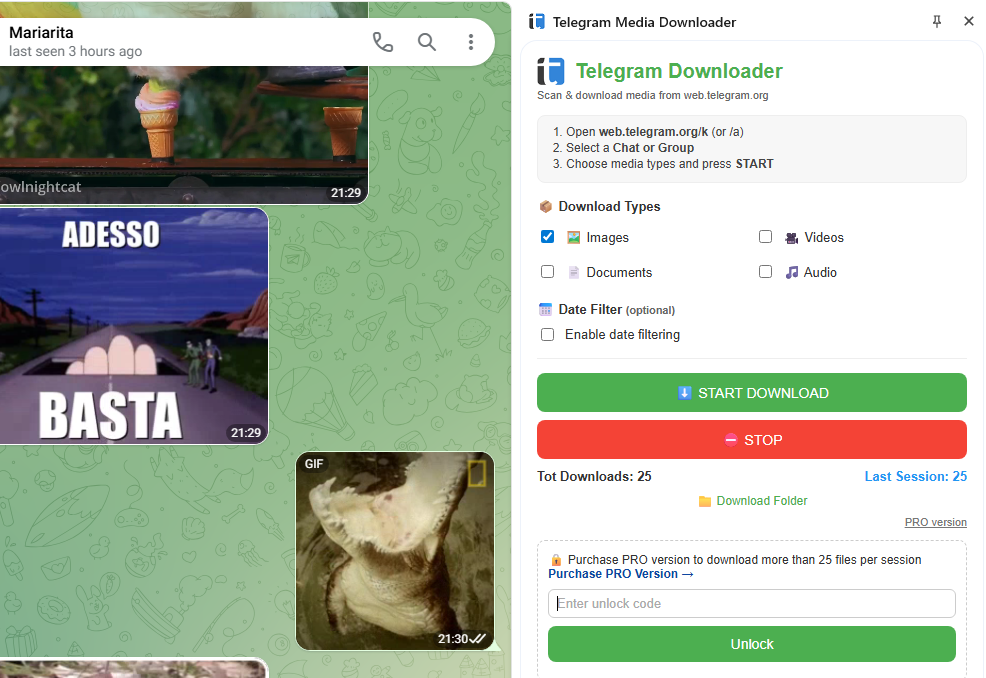
The current OnlineGratis Telegram Media Downloader supports chats, groups and channels, with media-type and date-range filters, and support for Telegram Web A and K.
Photos, videos, documents and audio
| Content | Typical use |
|---|---|
| Images | Save photos or image posts. |
| Videos | Save uploaded clips or video messages. |
| Documents | Collect PDFs, ZIP files and other files. |
| Audio | Save audio available in the chat. |
Use a date range when the chat is large
A date filter helps narrow a large chat or channel to the period you actually need.
Can you download from a Telegram link without login?
Not every Telegram URL exposes a public file. Some posts or channels require an authenticated Telegram session. A browser extension can only access content that your current browser session is allowed to view.
Frequently asked questions
Can I download all media from a Telegram chat?
You can bulk-save media that is accessible in the chat and detectable by the browser workflow.
Can I download Telegram PDFs and documents?
Yes, when the document is accessible in Telegram Web and available to your current session.
Does it work with Telegram Web A and K?
The current OnlineGratis product supports both Telegram Web A and K.
Want a dedicated Chrome tool?
OnlineGratis also develops Telegram Media Downloader for this task.
View Telegram Media Downloader